
Cloud Storage vs. Local Storage: Where Your Files Actually Live
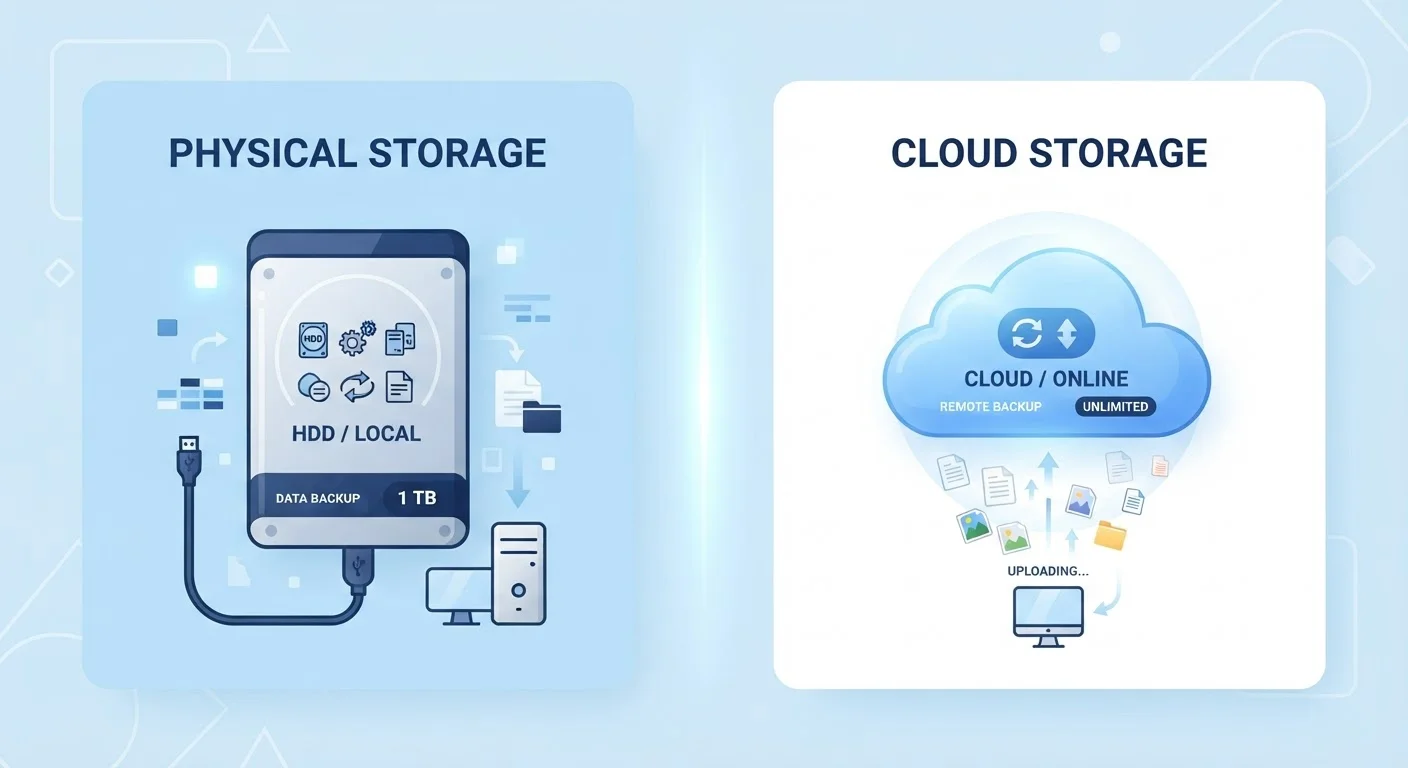
Photo credit: AdvisorHQ.net | Informative Website
In this article
Understand the real difference between saving files on your device and storing them online — and what each choice means for access, safety, and space.
Key Takeaways
- Local storage saves files directly on your device; cloud storage saves them on remote servers over the internet.
- Local storage works offline but is vulnerable to physical damage, theft, or device failure.
- Cloud storage requires an internet connection but keeps files accessible from almost any device.
- Most experts recommend combining both methods for the most reliable file protection.
- Privacy considerations differ: cloud files are held by a third-party service provider.
What Each Term Actually Means
When you save a document or photo, it has to live somewhere physical - even if that place is invisible to you. Local storage means the file is written directly onto a storage device you own: the hard drive or solid-state drive (SSD) inside your computer, a USB thumb drive, or an external hard drive you plug in. The data stays put on that hardware.
Cloud storage, by contrast, means your file is sent over the internet to a server owned and operated by a company - services like Google Drive, iCloud, Dropbox, and Microsoft OneDrive are common examples. When you open that file later, your device fetches it back from those remote servers. The word "cloud" is simply a consumer-friendly shorthand for "someone else's computer connected to the internet."
Understanding this distinction helps demystify a lot of confusing behavior. When your phone warns you that storage is full, it means its local storage is full. When an app offers to "back up to the cloud," it means copying those files to an internet server. For a deeper look at what fills up local storage on a phone, see what it means when your phone's storage is full.
How They Compare Side by Side
Both approaches have real strengths and genuine drawbacks. The right fit depends on how you use your devices, how important the files are, and how much you trust an internet connection.
| Criterion | Local Storage | Cloud Storage |
|---|---|---|
| Where files are kept | On your own device or drive | On remote internet servers |
| Internet required | No | Yes, to sync or access |
| Access from multiple devices | Manual transfer needed | Automatic sync across devices |
| Risk of data loss | Device damage, theft, or failure | Provider outage or account issue |
| Storage cost | One-time hardware purchase | Often subscription-based above free tier |
| Speed | Very fast - no upload/download | Dependent on internet speed |
| Privacy control | Fully in your hands | Shared with service provider |
One nuance worth noting: many devices today blur the line automatically. A phone set to auto-backup photos to iCloud is using both local and cloud storage simultaneously - the photos exist on the device and on Apple's servers. This redundancy is generally a good thing for safety, but it can cause confusion about where the "real" copy lives.
The Privacy and Security Angle
Local storage keeps your files entirely under your own physical control. No company can access them, and no data breach at a third-party service can expose them. The trade-off is that if your device is stolen, lost in a fire, or simply breaks down, those files may be gone for good unless you have a separate backup.
Cloud storage introduces a third party into the equation. The service provider stores your files on its servers, and while reputable services use strong encryption, you are trusting that company's security practices and privacy policies. It is worth reading - even briefly - what a cloud provider's terms say about data ownership and access.
Encryption: A Key Cloud Storage Term
Most reputable cloud storage services encrypt your files, meaning they are scrambled into unreadable code during transmission and while stored on the provider's servers. However, encryption standards and key ownership vary between providers - some hold the decryption keys themselves (meaning they can technically access your data), while others offer end-to-end encryption where only you hold the key. If privacy is a high priority, it is worth checking which approach your chosen service uses before uploading sensitive files.
The most reliable approach for important files combines both: keep a working copy locally for speed and convenience, and maintain a cloud (or external drive) backup for protection. This idea is the core of what tech professionals call the 3-2-1 backup rule: three copies of your data, on two different types of media, with one stored off-site. For a practical checklist you can follow right now, see keeping your personal files safe.
Which One Is Right for You?
Neither storage type is universally superior - the best setup depends on your specific situation. If your internet connection is slow or unreliable, leaning heavily on local storage for day-to-day work makes practical sense. If you switch between a laptop, a tablet, and a phone regularly, cloud storage dramatically reduces the friction of keeping files in sync.
For most everyday users, a simple combination works well: use local storage as your primary workspace and cloud storage as an automatic safety net. Many operating systems and apps can be configured to handle this automatically, requiring little ongoing effort on your part.
Whatever you choose, the key insight is this: where your files live determines what happens to them when things go wrong. Thinking about that now - before a device fails - puts you in a much stronger position than discovering the gap after the fact.

Author
Tech & Gadgets Editorial Team
Tech & Gadgets Editorial Team is the collective byline for our editorial team and contributor network. Articles published under this byline or an editorial pen name are researched, written, and reviewed according to our editorial standards for clarity, consistency, and independence before publication.
View all articles →