
Your Phone's Storage Is Full - Here's What That Really Means
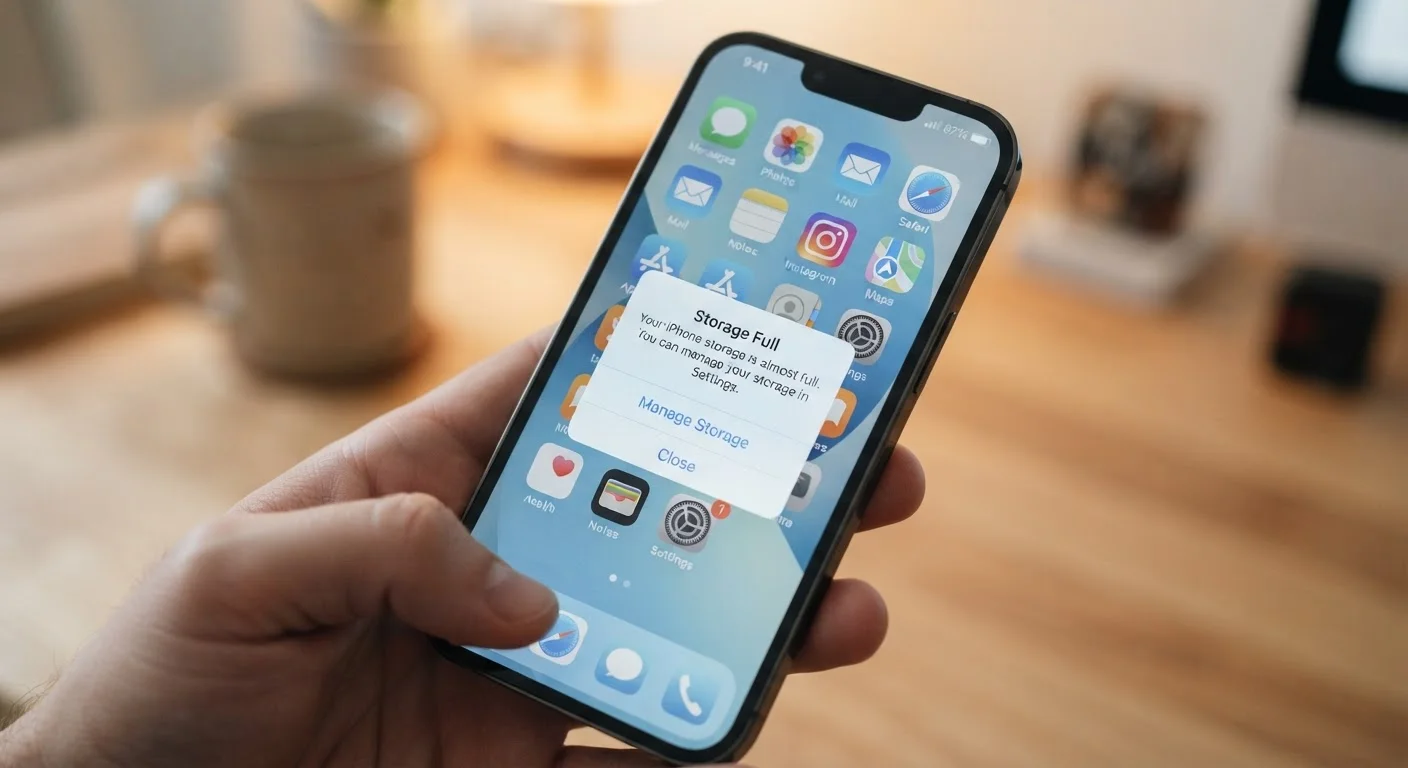
Photo credit: AdvisorHQ.net | Informative Website
In this article
Learn what fills up phone storage, why it slows your device, and practical ways to free up space without losing important files.
Key Takeaways
- Phone storage holds apps, photos, videos, messages, and the operating system itself.
- A full storage can slow your phone down, cause crashes, and block updates.
- Photos and videos are usually the biggest storage consumers on most devices.
- App cache - temporary junk files - quietly fills space without you noticing.
- Cloud backups and regular cleanups can free significant space without deleting anything important.
- Most phones have a built-in storage analyzer that shows exactly what is using space.
What Lives Inside Your Phone's Storage
When you see a storage warning, it helps to understand exactly what has been filling that space. Your phone's storage isn't just for selfies - it holds several distinct categories of data working all at once.
- The operating system: iOS or Android itself occupies several gigabytes before you install a single app.
- Apps: Every app you install takes space, and many grow over time as they save data locally.
- Photos and videos: A single minute of 4K video can easily exceed 400 MB. A camera roll built up over a year or two can consume tens of gigabytes.
- Messages and attachments: Text threads that include photos, voice memos, and GIFs quietly accumulate storage.
- App cache and temporary files: Apps create hidden temporary files - cached images, downloaded content, log files - that pile up without any action from you.
- Downloads: PDFs, documents, and offline content from streaming apps all live here.
Understanding these categories makes it easier to know where to look when you need to reclaim space. For a broader picture of where your files live, see our guide to cloud vs. local storage.
40%
Share of phone storage often used by photos and video
Industry analyses of average smartphone usage consistently find media files are the dominant storage consumer on most personal devices.
10-15%
Free storage needed for smooth phone performance
Mobile operating system documentation and device support resources generally recommend keeping at least this threshold free to maintain normal system function.
400+ MB
Size of one minute of 4K video
File size varies by codec and frame rate, but one minute of 4K footage at standard settings commonly exceeds 400 MB on modern smartphone cameras.
Why a Full Storage Hurts Your Phone's Performance
Storage and speed might seem unrelated, but they're tightly connected. Your phone's operating system constantly needs a small pool of free space to write temporary files, manage app processes, and handle system tasks. When storage dips below roughly 10-15% free, the system starts running out of room to maneuver.
The practical effects are noticeable: apps take longer to open, the camera hesitates before saving a photo, and your phone may freeze mid-task. More seriously, a packed storage can prevent your device from installing security patches and operating system updates - leaving it potentially exposed. If you're curious how updates tie into overall phone health, everything you should know about mobile OS updates is worth a read.
This is different from a slow processor or low RAM - those cause sluggishness in a different way. A slow computer has overlapping causes, and the same principle applies to phones: storage is just one piece of the performance puzzle, but it's one of the easiest to fix.
Check Your Storage Before You're in Crisis
Don't wait for the warning notification. Checking your storage breakdown every month or two lets you spot growing problem areas - like a streaming app's offline downloads ballooning in size - before your phone starts acting up. It takes about 30 seconds in your phone's Settings app.
Practical Steps to Free Up Space
Before deleting anything, use your phone's built-in storage analyzer. On iPhone, go to Settings > General > iPhone Storage. On Android, look in Settings > Storage. Both show a category breakdown so you can see where space is actually going rather than guessing.
Photos and Videos
Enable automatic cloud backup through your phone's native service or a third-party cloud provider, then remove the local copies once you've confirmed they're backed up. This single step often recovers the most space.
App Cache
On Android, you can clear the cache for individual apps in Settings. On iPhone, the most effective option is often offloading an app - this removes the app itself but preserves its data, and reinstalling it restores everything.
Streaming Downloads
Offline playlists, downloaded podcasts, and saved Netflix episodes can be substantial. Check each streaming app's downloads section and remove content you've already watched or listened to.
Message Attachments
Long-running group chats accumulate photos, videos, and stickers. Both iOS and Android let you review and delete large attachments from within the messaging settings without deleting the conversation itself.
A parent who takes dozens of photos and videos at their child's school events notices their phone freezes every time they try to open the camera app.
A commuter who uses a navigation app, three music apps, and a podcast app finds their phone is running out of space despite not having many photos.
Someone tries to install a system update and gets an error saying there isn't enough storage to proceed.
When It's Time to Think Bigger
If you've cleared cache, backed up photos, and pruned apps - and you're still running low - the issue may be that your phone's base storage capacity no longer fits how you use it. That's a completely normal situation as phone cameras improve and apps grow in size over the years.
Some Android devices support microSD cards, which can add meaningful space at relatively low cost. For phones without expandable storage, leaning on cloud services for photos and documents is the most practical long-term strategy.
If you're at the point of considering a new device, protecting your data during the transition matters as much as picking the right model. Our practical guide to switching phones walks through how to carry everything over without losing a file. And while you're managing your device, it's worth pairing storage habits with smartphone security habits that actually work - the two go hand in hand for keeping your phone running well.
“Storage management is the most overlooked aspect of smartphone maintenance. Most people don't think about it until their device grinds to a halt - but a few minutes of housekeeping every month prevents most of those problems entirely.”
— Consumer Technology Education Expert, Mobile device usability researcher and educator
Frequently Asked Questions

Author
Tech & Gadgets Editorial Team
Tech & Gadgets Editorial Team is the collective byline for our editorial team and contributor network. Articles published under this byline or an editorial pen name are researched, written, and reviewed according to our editorial standards for clarity, consistency, and independence before publication.
View all articles →