
Android vs. iOS: What Actually Separates the Two Mobile Worlds
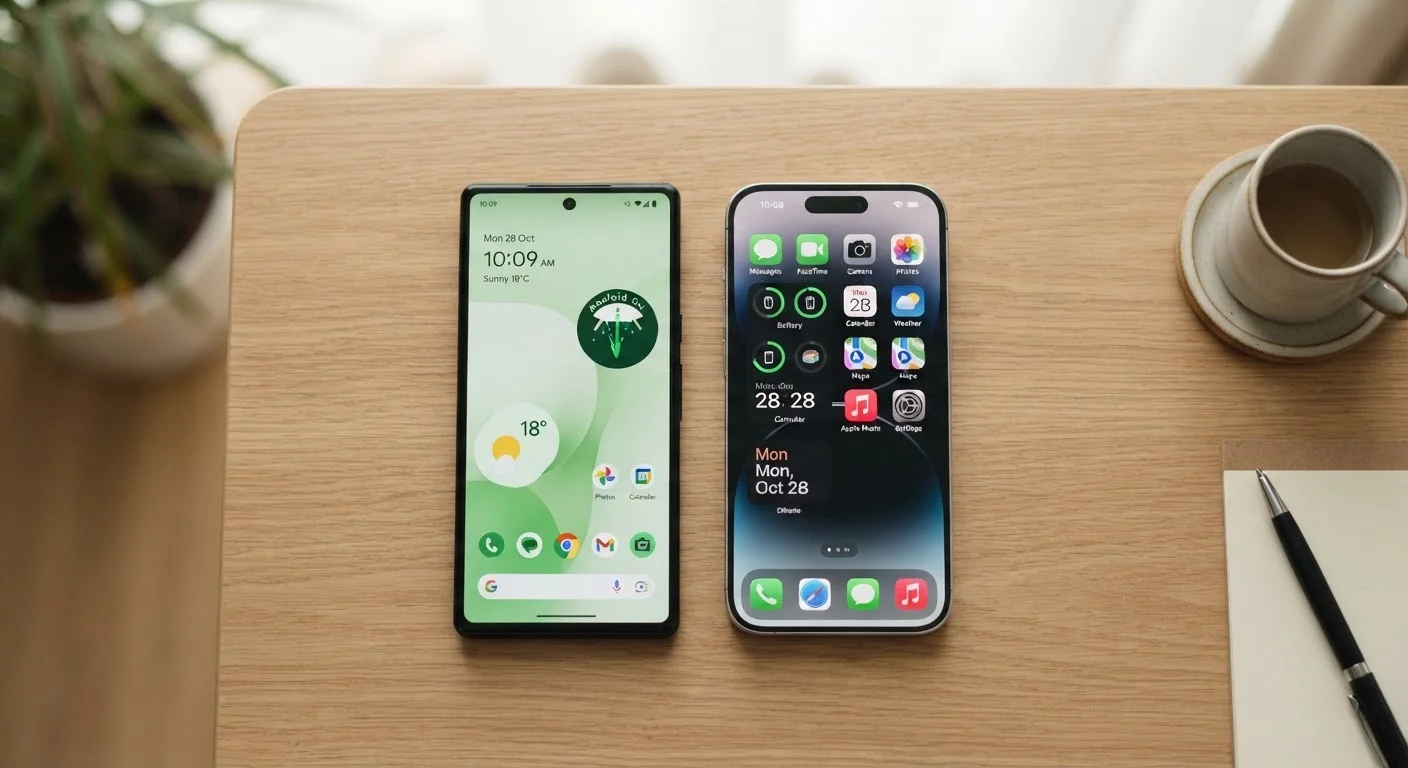
Photo credit: AdvisorHQ.net | Informative Website
In this article
A plain-language look at how Android and iOS differ in privacy, customization, app availability, and everyday usability.
Key Takeaways
- Android offers more hardware choices and customization; iOS delivers a more uniform, controlled experience.
- iOS tends to apply stricter privacy and security defaults out of the box.
- Both platforms share most major apps, though some exclusives still exist on each side.
- Software update longevity favors iOS devices, which receive updates for longer than most Android phones.
- Switching between the two is possible but requires planning - especially for messages and photos.
The Core Difference: Open vs. Closed
Android is an open-source operating system developed by Google and used by many different device manufacturers. That openness means you can find Android running on phones from dozens of companies, at virtually every price point. It also means manufacturers can customize the software - which is why an Android phone from one brand can look and behave quite differently from another.
iOS, developed by Apple, runs exclusively on iPhones. Apple controls both the hardware and the software, which gives it a tighter grip on how the system behaves. That uniformity is exactly what many users appreciate: every iPhone runs the same core iOS experience, with predictable behavior and consistent updates.
Think of it like this - Android is a system where many chefs use the same recipe book but can add their own ingredients. iOS is a restaurant where one kitchen controls everything on the menu.
For a broader look at how operating systems compare across devices, see our operating systems comparison.
Customization and Control
Android gives users noticeably more freedom to personalize their experience. You can set a third-party browser or email app as the default, rearrange your home screen with custom launchers, add widgets in more flexible layouts, or even sideload apps (install apps from outside the official app store). For tech-comfortable users, this flexibility is a significant advantage.
iOS is more structured. Apple controls which apps can serve as defaults in most categories, and the App Store is the only official source for installing apps. That said, Apple has gradually expanded customization options - including home screen widgets and a limited ability to change default browsers and email apps in recent versions.
| Criterion | Android | iOS |
|---|---|---|
| Hardware variety | Hundreds of devices, many manufacturers | iPhone only |
| Default app flexibility | Most categories can be changed | Limited, improving gradually |
| App sources | Play Store + sideloading allowed | App Store only (officially) |
| Software update support | Typically 2-3 years | Typically 5-6 years |
| Privacy controls | Strong, improving; some system-level data collection | Strict defaults; App Tracking Transparency |
| Cross-device ecosystem | Works well with Google services, Chromebooks | Seamless with Mac, iPad, Apple Watch |
| Customization depth | High - launchers, widgets, file access | Moderate - structured but improving |
The trade-off is real: more flexibility on Android comes with more responsibility to manage settings thoughtfully. iOS's guardrails can feel limiting, but they also reduce the chance of accidentally misconfiguring something important.
Privacy, Security, and Updates
Both platforms have improved their privacy features substantially in recent years, but they take different approaches. iOS has leaned hard into privacy as a selling point - features like App Tracking Transparency (which asks apps to request permission before tracking you across other apps and websites) and detailed privacy nutrition labels in the App Store give users more visibility into data practices.
Android has also added granular app permission controls and a Privacy Dashboard that shows which apps accessed your location, microphone, or camera. However, since Google's core business model depends on advertising, the platform has historically collected more behavioral data at the system level compared to Apple.
Android Updates Vary by Manufacturer
Unlike iOS, where Apple pushes updates directly to all supported iPhones, Android updates first go to device manufacturers, who then adapt and release them for their specific models. This means update timing and availability can vary significantly depending on which Android phone you own. Some manufacturers are faster and more consistent than others, so update support is worth checking before choosing a device.
On software updates, iOS has a clear edge in longevity. Apple typically supports iPhones with updates for five to six years after release. Most Android phones receive major OS updates for two to three years, though some manufacturers have extended that window. Keeping software current is one of the most straightforward ways to stay protected - for practical habits on either platform, see our guide on keeping your smartphone secure.
Understanding what data your apps can access matters regardless of which phone you use. Our article on why app permissions matter explains exactly what those access requests mean in practice.
Apps, Ecosystem, and Switching
The app gap that once meaningfully separated the two platforms has largely closed. Nearly every major app - social media, banking, streaming, productivity - is available on both Android and iOS. A handful of exclusives still exist on each side, but they're the exception rather than the rule.
Where the ecosystem difference really shows up is in how devices connect to each other. iPhone users with Macs, iPads, or Apple Watches benefit from deep integration - things like answering calls on your Mac, copying text on one device and pasting on another, or sharing files instantly via AirDrop. Android pairs naturally with Google services like Drive, Gmail, and Photos, and integrates well with Chromebooks, but the cross-device experience is generally less seamless than Apple's.
If you're thinking about switching platforms, it's worth knowing that the process requires deliberate preparation - especially for transferring iMessages, photos, and app data. Our practical guide to switching phones walks through the steps for both directions. And once you're set up, understanding how mobile data and Wi-Fi work can help you get the most out of any phone, regardless of platform.

Author
Tech & Gadgets Editorial Team
Tech & Gadgets Editorial Team is the collective byline for our editorial team and contributor network. Articles published under this byline or an editorial pen name are researched, written, and reviewed according to our editorial standards for clarity, consistency, and independence before publication.
View all articles →