
Desktop vs. Laptop: Matching the Right Machine to How You Actually Work
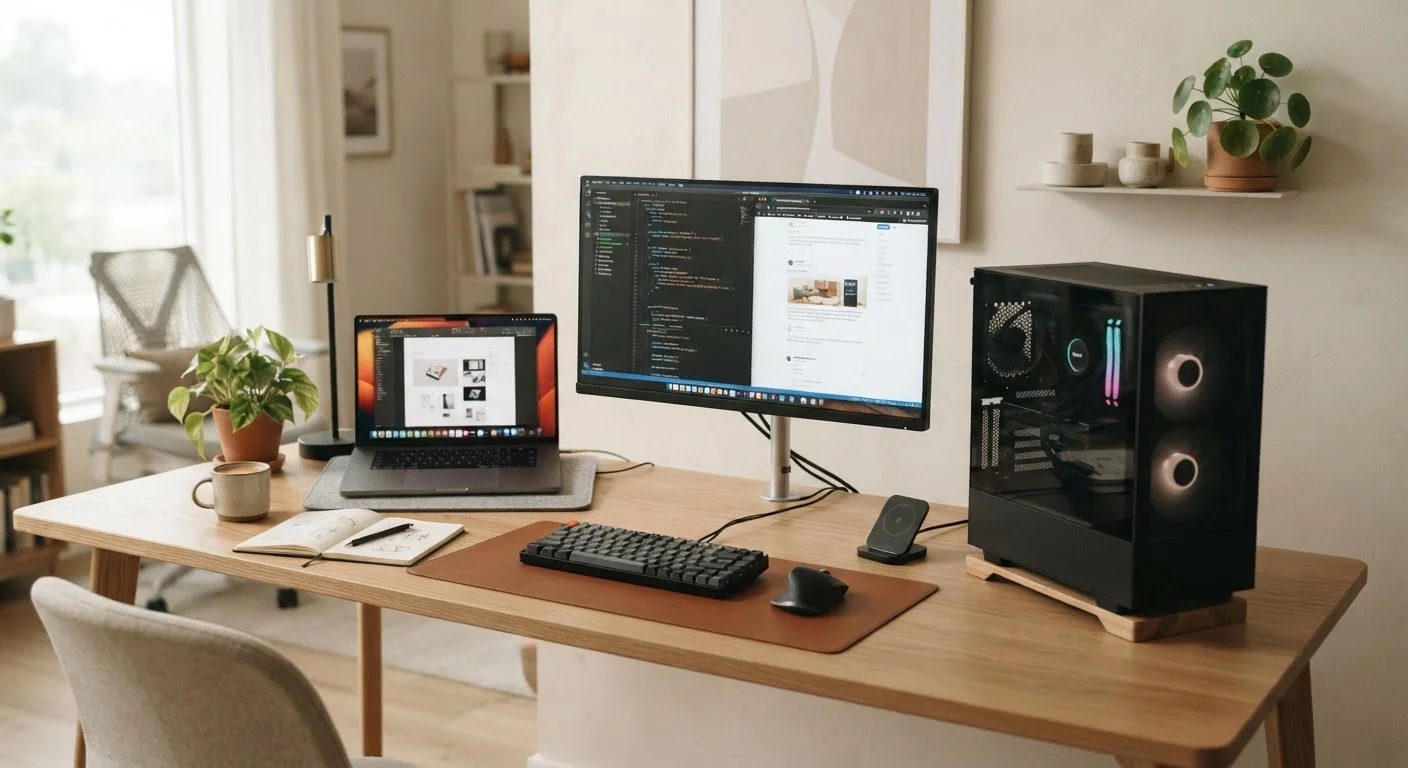
Photo credit: AdvisorHQ.net | Informative Website
In this article
Portability, performance, repairability — desktops and laptops make different trade-offs. Here is a clear comparison to help you think it through.
Key Takeaways
- Desktops generally deliver more performance per dollar and are easier to repair or upgrade over time.
- Laptops trade some performance and repairability for portability and the freedom to work anywhere.
- Your daily routine - not raw specs - should drive the decision between the two form factors.
- Many households find that one form factor fits work needs while the other fills a different role.
- Neither option is universally superior; the right choice depends on how and where you actually use a computer.
The Core Trade-Off in Plain Terms
Every desktop vs. laptop debate comes down to one fundamental tension: portability versus permanence. Laptops pack a screen, keyboard, battery, and processor into a single portable unit. Desktops separate those components - the computer itself, a monitor, a keyboard, and a mouse - allowing each part to be chosen, replaced, or upgraded independently.
That flexibility is the desktop's quiet advantage. It also means a desktop assumes you have a dedicated place to use it. A laptop assumes you don't - or at least that you want the option to move. Neither assumption is wrong; they just reflect different lives. If you primarily work from a home office or a fixed workstation, that context shapes the right answer far more than any spec sheet.
For a closer look at how devices overlap and differ in mobile contexts, see our comparison of tablets versus laptops as well.
Performance and Value: Where Desktops Have a Real Edge
For a given price, desktops typically offer more raw processing power and better cooling. Because the components aren't compressed into a thin chassis, desktop processors and graphics cards can run harder for longer without throttling - a term for when a device automatically slows itself down to prevent overheating.
This matters most if you edit video, work with large spreadsheets, run design software, or do anything that puts sustained load on a computer. Casual tasks like browsing, email, and word processing will feel perfectly smooth on a modern laptop at almost any price point.
| Desktop | Laptop | |
|---|---|---|
| Portability | Fixed in one location | Fully portable, battery-powered |
| Performance per dollar | Generally higher | Somewhat lower due to miniaturization |
| Upgradeability | Easy - most parts replaceable | Limited - many components soldered |
| Setup required | Monitor, keyboard, mouse needed | All-in-one, ready out of the box |
| Cooling efficiency | Better - more space for airflow | More prone to thermal throttling |
| Typical lifespan | Often longer with upgrades | Shorter due to wear and limited repair |
| Best for | Fixed workstation users | Mobile and flexible workers |
Understanding the specs involved makes this comparison more concrete. Our guide on what RAM, storage, and processing power actually mean breaks down those numbers in plain English.
Repairability and Longevity
Desktops are generally easier - and cheaper - to keep running over time. Adding memory, swapping a storage drive, or replacing a failing fan are straightforward tasks on most desktop systems, often requiring only a screwdriver. Laptops, by contrast, increasingly use components soldered directly to the motherboard, which means a failing part may mean replacing the whole machine rather than just that component.
Check Before You Buy: Repairability Varies Widely
Not all laptops are equally difficult to repair. Some models still allow users to replace the battery or add storage with basic tools. Before committing to a laptop, look up whether the specific model has user-replaceable components - this information is often available in teardown reviews from independent tech sites. A slightly more repairable laptop can meaningfully extend how long you can keep using it.
This difference compounds over several years. A desktop bought today may still be serviceable in eight or ten years with modest upgrades along the way. The average usable lifespan of a laptop varies, but physical wear on hinges, batteries, and keyboards - combined with limited repair options - often shortens that window.
If you already own a laptop, protecting that investment matters too. See habits that quietly shorten the life of your laptop to understand what everyday routines can accelerate wear.
Who Should Lean Toward a Laptop
Portability is the obvious reason, but it is worth being specific about what portability actually buys you. A laptop lets you:
- Work from multiple rooms at home without a second setup
- Take your machine to a coffee shop, library, or co-working space
- Bring a full computer when traveling without shipping equipment ahead
- Move between a home office and an office workplace
If your work situation involves any of these scenarios - especially if you're navigating remote and in-office arrangements - a laptop is almost certainly the more practical choice. For context on how work settings shape your tool needs, our piece on remote vs. office work explores how environment affects the way people actually get things done.
Making the Decision Without Overthinking It
Start with these two questions: Where do I use a computer most of the time? and Do I need to use the same machine in different locations? If the answers point to a single, fixed location - a desk at home or in an office - a desktop is worth serious consideration. If your days require moving the machine, a laptop is the practical answer.
Operating system choice is a separate but related decision. If you are undecided there too, our side-by-side look at Windows, macOS, and ChromeOS can help you think that through. Both desktops and laptops are available across operating systems, so you don't need to resolve both questions at once - but knowing your OS preference may narrow your hardware options.
Finally, think about how long you plan to keep the device. If you want a machine that can grow with you through incremental upgrades, a desktop generally gives you more room to do that. If you want one versatile device that handles everything from the couch to the airport, a laptop earns its place.

Author
Tech & Gadgets Editorial Team
Tech & Gadgets Editorial Team is the collective byline for our editorial team and contributor network. Articles published under this byline or an editorial pen name are researched, written, and reviewed according to our editorial standards for clarity, consistency, and independence before publication.
View all articles →