
Tablet or Laptop: Choosing the Right Device for How You Actually Work
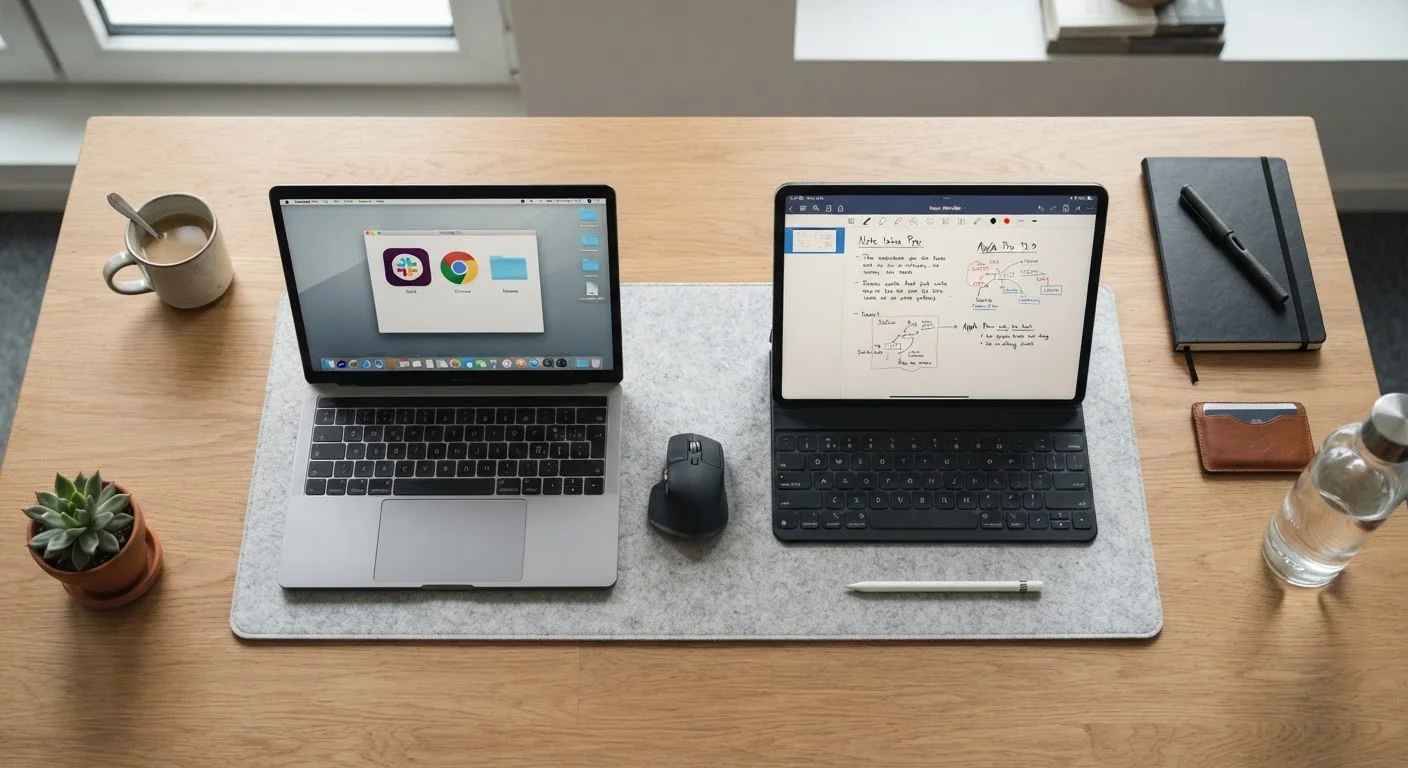
Photo credit: AdvisorHQ.net | Informative Website
In this article
Understand the real trade-offs between tablets and laptops so you can pick the device that fits your daily tasks and lifestyle.
Key Takeaways
- Laptops handle complex, multitasking workflows better than tablets in most cases.
- Tablets excel at portability, media consumption, and light creative tasks like note-taking.
- A keyboard-equipped tablet can bridge the gap, but still has software limitations.
- Your primary daily tasks - not marketing specs - should drive this decision.
- Many households find value in owning both, each serving a distinct role.
Why This Decision Is Harder Than It Looks
Walk into any electronics store and the tablet section looks increasingly like the laptop section - keyboards, styluses, and sleek designs blur the line between categories. Meanwhile, laptops keep getting thinner and lighter. So how do you actually choose?
The honest answer is that specs rarely settle it. What matters is how you work - specifically, what you open, create, and manage throughout a typical day. A device that's perfect for one person can frustrate another doing slightly different tasks. This comparison cuts through the noise and focuses on practical differences that affect real daily use. If you're also considering whether a desktop might be the better fit, see our desktop vs. laptop comparison for that angle.
Where Laptops Have a Clear Advantage
Laptops are purpose-built for sustained, keyboard-heavy work. If your day involves switching between multiple applications, managing large files, or using professional software, a laptop's full operating system - Windows, macOS, or ChromeOS - gives you access to tools that tablet app stores simply don't replicate at the same depth. For a deeper look at how those operating systems compare, our OS comparison guide breaks down the differences.
- Multitasking: Laptops handle side-by-side windows naturally. Tablets can split screens, but the experience is narrower and more limited.
- File management: Organizing, moving, and accessing files across folders is more straightforward on a traditional OS.
- Software depth: Full versions of office, accounting, video editing, and coding tools run on laptops. Tablet equivalents are often stripped-down.
- Typing comfort: Built-in keyboards on laptops are designed for extended use - a genuine advantage for anyone writing thousands of words a week.
Protect Your Laptop Investment
Once you settle on a laptop, it's worth protecting your investment. Everyday habits around charging, ventilation, and storage make a real difference in how long a device lasts. Our guide on habits that quietly shorten laptop life covers what to watch for and how to adjust your routine before problems develop.
Once you settle on a laptop, it's worth protecting your investment. Our guide on habits that shorten laptop life covers everyday mistakes that quietly wear devices down faster than expected.
Where Tablets Pull Ahead
Tablets win on portability, battery life, and intuitive touch interaction. For users who primarily read, watch, browse, annotate, or take handwritten notes, a tablet often feels less like a compromise and more like the right tool entirely.
- Weight and size: Most tablets weigh under a pound and slip easily into a bag or coat - far more convenient for commuters or frequent travelers.
- Battery life: Many tablets deliver 10 or more hours of screen-on time, often outlasting comparable laptops under real-world conditions.
- Touch and stylus input: For sketching, marking up documents, or annotating slides, touch input is genuinely faster and more natural.
- Casual media use: Streaming, reading, video calls, and social apps are all seamless on a tablet's large, high-quality display.
Students balancing class notes and leisure reading, or professionals who attend meetings with light annotation needs, often find tablets more than sufficient - and noticeably easier to carry.
| Tablet | Laptop | |
|---|---|---|
| Portability | Excellent - lightweight, compact | Good - heavier, larger footprint |
| Battery life | Often 10+ hours screen-on | Typically 6-10 hours, varies widely |
| Software depth | App-based, some limitations | Full desktop OS, broad software access |
| Multitasking | Limited multi-window support | Robust multi-window, multi-app |
| Typing comfort | Adequate with keyboard case | Strong with built-in keyboard |
| Touch & stylus input | Native, intuitive | Limited - trackpad only in most cases |
| File management | Functional but simplified | Full folder and file system access |
| Best primary use | Media, notes, light productivity | Work, creation, complex tasks |
The Hybrid Middle Ground - and Its Limits
Keyboard cases and stylus accessories make tablets look like laptops, and the gap has genuinely closed in recent years. But it hasn't disappeared. Tablet operating systems - even capable ones - are designed around app-based, touch-first experiences. That means some workflows that feel natural on a full OS still feel clunky on a tablet, regardless of how good the keyboard is.
Before assuming a tablet-plus-keyboard replaces a laptop for you, ask yourself: Do I regularly work in multiple open windows simultaneously? Do I use specific desktop applications with no true mobile equivalent? If the answer to either is yes, a laptop is likely the better fit. If your work mostly lives in a browser, streaming apps, and a word processor, a capable tablet with a keyboard cover may genuinely suffice - and save you weight and hassle in the process.
For those doing financial planning on the go, it's also worth knowing that the right device shapes which tools you can use effectively - our spreadsheet vs. budgeting app comparison touches on how device choice affects those workflows too.
Making the Call: A Practical Framework
Rather than defaulting to what's trending, run through this quick self-assessment:
- List the three tasks you do most often. Are they browser-based? Creative? Data-heavy? That list is your real spec sheet.
- Think about where you work. Desk-based workers benefit less from tablet portability. Mobile workers benefit more.
- Consider your input habits. Heavy typists will find tablet keyboards frustrating over time; touch-first users may find laptop trackpads equally annoying.
- Factor in longevity. Full operating systems tend to receive software updates longer, which can matter for a 4-5 year device lifespan.
There's also a straightforward case for owning both - a laptop as a primary workhorse and a tablet for reading, travel, and downtime. That combination serves many households well, especially as tablet prices have come down considerably across the category.

Author
Tech & Gadgets Editorial Team
Tech & Gadgets Editorial Team is the collective byline for our editorial team and contributor network. Articles published under this byline or an editorial pen name are researched, written, and reviewed according to our editorial standards for clarity, consistency, and independence before publication.
View all articles →