
Voice Assistant vs. Smart Display: Choosing the Right Hub for Your Living Room
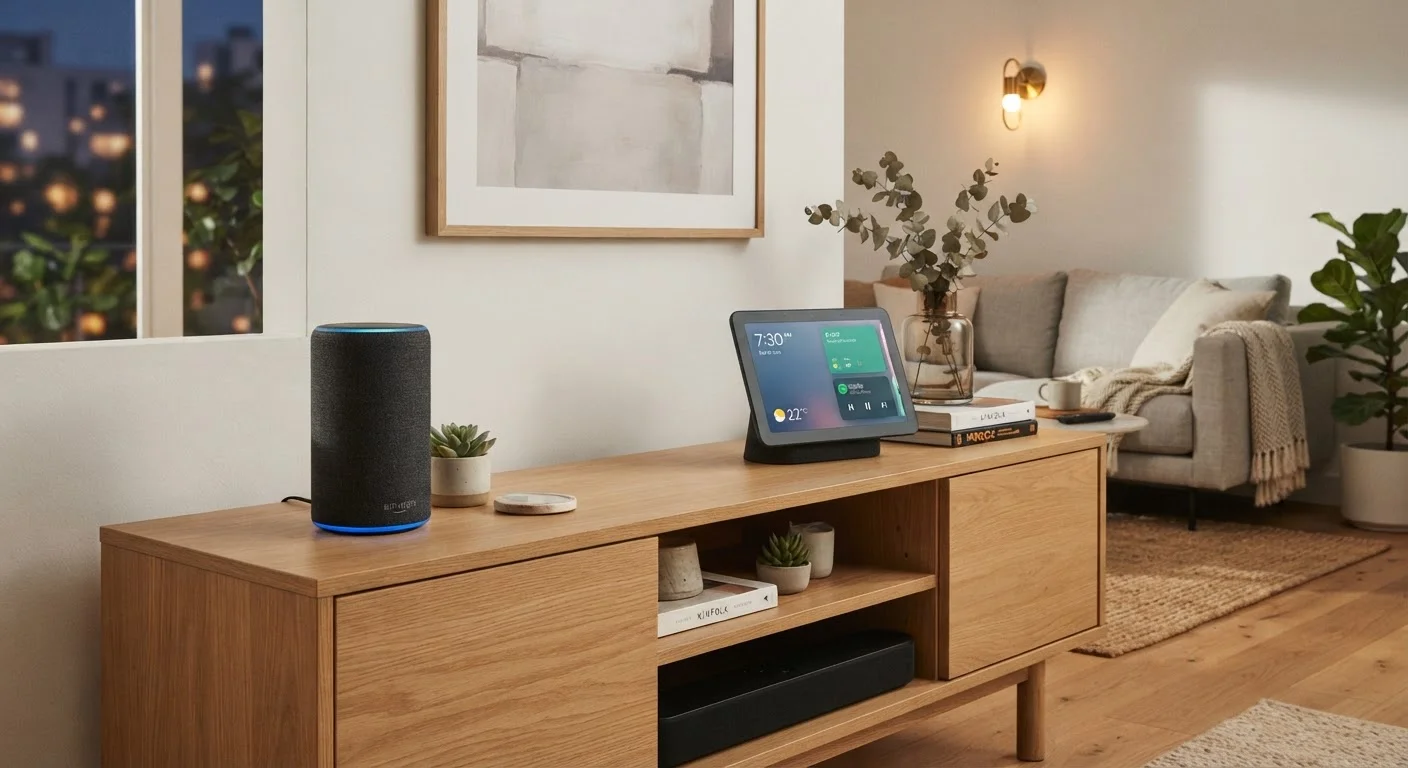
Photo credit: AdvisorHQ.net | Informative Website
In this article
Audio-only voice assistants and touchscreen smart displays serve different households. See how they compare before you decide which fits your home.
Key Takeaways
- Voice assistants handle audio tasks and hands-free commands well but offer no visual feedback.
- Smart displays add a touchscreen, video calling, and streaming to the same voice-control foundation.
- Smart displays typically cost more upfront and take up more counter or shelf space.
- Both types can control compatible smart home devices using the same underlying voice platforms.
- Your choice should reflect how your household actually interacts with technology day to day.
What Each Device Actually Does
Before choosing, it helps to understand what sets these two device types apart at a fundamental level. If you're new to the category, our primer on smart home technology explains the broader ecosystem these devices live in.
A voice assistant (also called a smart speaker) is an audio-in, audio-out device. You speak to it, and it responds through sound. It can play music, answer questions, set timers, control compatible smart lights or thermostats, and trigger automated routines - all without you touching anything. There is no screen.
A smart display does everything a smart speaker does, but adds a touchscreen. That screen unlocks video calling, step-by-step recipe guides you can follow at a glance, YouTube or streaming video, live security camera feeds, and visual smart home dashboards. You can still use your voice entirely, or tap the screen when that's faster.
The underlying voice platform - whether that's Amazon Alexa, Google Assistant, or another - is often the same across both form factors from the same manufacturer. The difference is the interface layer on top.
| Criterion | Voice Assistant | Smart Display |
|---|---|---|
| Screen | None | Built-in touchscreen |
| Video calling | Audio only | Full video and audio |
| Streaming video | Not supported | Supported on-device |
| Smart home control | Voice commands | Voice and touchscreen |
| Typical footprint | Compact, minimal | Larger, needs surface space |
| Camera included | Generally no | Usually yes |
| Typical price range | Lower | Higher |
| Recipe guidance | Audio read-aloud only | Visual step-by-step |
Where Each Device Fits Best in Your Home
Room placement is a practical lens for deciding which device type fits your life. Voice assistants are compact and unobtrusive - easy to tuck on a bookshelf, nightstand, or corner of a countertop. They're popular in bedrooms, home offices, and anywhere screen-free simplicity is the goal.
Smart displays, because of their screens, naturally anchor to spaces where you'll glance at them: kitchen counters, living room shelving, or a home entryway. Their larger footprint means they're better suited to surfaces where they won't feel cramped.
35%+
U.S. adults with a smart speaker at home
Pew Research Center surveys have consistently found that roughly a third or more of American adults report owning a smart speaker, reflecting broad mainstream adoption.
2×
Approximate price premium of smart displays over speakers
Across comparable product tiers from major manufacturers, smart displays have generally carried roughly double the entry price of audio-only smart speakers.
Privacy is worth thinking about as well. Both device types use microphones that listen for a wake word, and smart displays also include cameras for video calls. Understanding what data each device collects and how to manage it is a worthwhile step - our article on smart home privacy settings walks through what to check.
If you're planning a broader smart home setup, a room-by-room starting guide can help you figure out where a central hub fits into the bigger picture. For anyone who wants to decode the jargon - terms like hub, Matter, or mesh network - the smart home glossary is a handy reference.
Cost, Setup, and Long-Term Considerations
Voice assistants are generally less expensive than smart displays, though prices vary widely by brand and model tier. Entry-level smart speakers can be quite affordable, while premium smart displays with larger screens sit at a higher price point. Neither purchase involves ongoing subscription fees to use the core voice and smart home features, though some streaming services accessed through them may.
Setup for both types is typically straightforward: plug in the device, download the companion app, connect to your Wi-Fi, and follow the guided steps. Connecting smart home devices to either hub follows the same process regardless of form factor. Unfamiliar terms you encounter during setup are explained in the plain-language smart home glossary.
One long-term consideration is software support. Manufacturers periodically update both device types with new features and security patches over their supported life. Checking the manufacturer's stated support window before purchasing is a reasonable precaution, similar to the thinking that goes into choosing between a desktop or laptop for longevity and repairability.
Ultimately, neither device type is wrong - they solve slightly different problems. The question is which set of problems is more relevant to your household right now.
Ecosystem Compatibility Matters
Both voice assistants and smart displays work best with smart home devices that share the same platform - for example, an Alexa-based hub pairs most naturally with Alexa-compatible gadgets. Before purchasing either device type, check that your existing or planned smart home devices are compatible. The Matter standard is working toward broader cross-platform compatibility, but checking device listings remains the most reliable approach for now.

Author
Tech & Gadgets Editorial Team
Tech & Gadgets Editorial Team is the collective byline for our editorial team and contributor network. Articles published under this byline or an editorial pen name are researched, written, and reviewed according to our editorial standards for clarity, consistency, and independence before publication.
View all articles →